What is the Daily Chest?
Every day, a single chest is tucked away somewhere in your feed. Keep scrolling to find it! Crack it open to claim your daily Arcs, then come back tomorrow for the next one.
What is the Daily Chest?
Every day, a single chest is tucked away somewhere in your feed. Keep scrolling to find it! Crack it open to claim your daily Arcs, then come back tomorrow for the next one.


Hot Fixes & Patch Notes
Don't see the update yet? Restart Steam and it will download right away.
Nomad Drive – Early Access Update 1.0.1
Thank you for all the reports since launch! This update is mostly about multiplayer for players on slow or long-distance connections, plus
a batch of fixes.
Multiplayer & Connection
• Much less lag after joining a game. When you joined, the host used to send the paint, rust and dirt of every vehicle and part all
at once. On slower connections this could push ping to extreme values. These are now sent at a pace your connection can handle, nearest
vehicles first.
• New "Loading vehicle looks (x/y)" indicator next to the connection status while vehicle appearances are still downloading. It
only appears if loading takes more than a moment.
• Less network traffic around loot. Painted or weathered parts that leave your view and come back no longer download their textures
again.
• More stable connections on unreliable networks. Losing a single network packet no longer throws away a whole update.
Half-received data that never completes is now cleaned up.
• Automatic port forwarding (UPnP / NAT-PMP). While you're in a lobby, the game asks your router to open UDP ports 7777–7780.
Friends can then connect to you directly instead of through a relay server, which usually means lower ping. If your router doesn't support
this, nothing changes. You can turn it off with the launch option -noupnp.
• Fixed: after a dropped connection while hosting, every new attempt to host could fail until you restarted the game.
• Fixed: if Steam briefly lost its connection, you could stay logged out of online services. The game now logs you back in as soon
as Steam reconnects.
• Fixed: another player sitting on furniture far away from you (for example a chair found out in the world) didn't appear seated
when you walked up to them.
Vehicles
• Fixed: items placed in a vehicle could appear metres behind their spot after loading a save made while driving.
• Unstuck Vehicle can now put your vehicle back on the road. If you use Unstuck Vehicle when the vehicle isn't actually stuck,
you'll be asked whether to move it to the nearest road (within 300 m). Choose Yes and it's placed in a lane facing along the road, with you
standing right next to it. Not available while another player is sitting in or standing on the vehicle.
• Fixed (multiplayer): after a vehicle had tipped over and been put back on its wheels, a non-host driver could get stuck. The
engine, steering and wheels worked, but the vehicle didn't move and other players saw its wheels spinning in place. Vehicles already
affected recover the next time the driver gets out and sits back in.
Restoration
• Fixed (multiplayer): grinding, polishing, sponge cleaning and spray painting by other players could land shifted or over a much
smaller area on the host's screen, even on a parked vehicle. The host's copy is what gets saved, so this also showed up after loading. Work
now lands in the same spot for everyone.
Performance & Graphics
• Fewer hitches on long drives. When driving fast, the game could hitch about every 2 km. Part of it came from the end pieces of
roadside barriers and guard rails, and they no longer cause it. We're also collecting timing data for this moment so we can track down any
remaining stalls.
• Sharper textures with FSR 2 / DLSS. When an upscaler renders below your screen resolution, textures now keep their detail instead
of looking blurry.
Mouse / Controls
• Some players with very high polling rate gaming mice see the camera stutter or freeze when moving the mouse. A one-time notice on the
main menu now explains this and the workaround that helped many players: running the game as administrator (Steam and Windows steps
included). We're still working on a proper fix.
Localization
• The limp mode warning (driving on a broken engine) and its tip are now translated into every language.
• Fixed the missing name label when looking at the push point of the RVs and the School Bus.
Bug Reports (F8)
• Reports now include more connection details (ping, packet loss, relay use, how much vehicle data is still loading) and your country as
reported by Steam. This helps us fix lag between players who are far apart. Please keep pressing F8 when something goes wrong!
Behind the Scenes
• We built a test setup that simulates slow, long-distance connections (like many players in China and Russia have). Now we can reproduce
these multiplayer problems ourselves and check fixes before they ship.
Nomad Drive – Early Access Update 1.0.1
Thank you for all the reports since launch! This update is mostly about multiplayer for players on slow or long-distance connections, plus
a batch of fixes.
Multiplayer & Connection
• Much less lag after joining a game. When you joined, the host used to send the paint, rust and dirt of every vehicle and part all
at once. On slower connections this could push ping to extreme values. These are now sent at a pace your connection can handle, nearest
vehicles first.
• New "Loading vehicle looks (x/y)" indicator next to the connection status while vehicle appearances are still downloading. It
only appears if loading takes more than a moment.
• Less network traffic around loot. Painted or weathered parts that leave your view and come back no longer download their textures
again.
• More stable connections on unreliable networks. Losing a single network packet no longer throws away a whole update.
Half-received data that never completes is now cleaned up.
• Automatic port forwarding (UPnP / NAT-PMP). While you're in a lobby, the game asks your router to open UDP ports 7777–7780.
Friends can then connect to you directly instead of through a relay server, which usually means lower ping. If your router doesn't support
this, nothing changes. You can turn it off with the launch option -noupnp.
• Fixed: after a dropped connection while hosting, every new attempt to host could fail until you restarted the game.
• Fixed: if Steam briefly lost its connection, you could stay logged out of online services. The game now logs you back in as soon
as Steam reconnects.
• Fixed: another player sitting on furniture far away from you (for example a chair found out in the world) didn't appear seated
when you walked up to them.
Vehicles
• Fixed: items placed in a vehicle could appear metres behind their spot after loading a save made while driving.
• Unstuck Vehicle can now put your vehicle back on the road. If you use Unstuck Vehicle when the vehicle isn't actually stuck,
you'll be asked whether to move it to the nearest road (within 300 m). Choose Yes and it's placed in a lane facing along the road, with you
standing right next to it. Not available while another player is sitting in or standing on the vehicle.
• Fixed (multiplayer): after a vehicle had tipped over and been put back on its wheels, a non-host driver could get stuck. The
engine, steering and wheels worked, but the vehicle didn't move and other players saw its wheels spinning in place. Vehicles already
affected recover the next time the driver gets out and sits back in.
Restoration
• Fixed (multiplayer): grinding, polishing, sponge cleaning and spray painting by other players could land shifted or over a much
smaller area on the host's screen, even on a parked vehicle. The host's copy is what gets saved, so this also showed up after loading. Work
now lands in the same spot for everyone.
Performance & Graphics
• Fewer hitches on long drives. When driving fast, the game could hitch about every 2 km. Part of it came from the end pieces of
roadside barriers and guard rails, and they no longer cause it. We're also collecting timing data for this moment so we can track down any
remaining stalls.
• Sharper textures with FSR 2 / DLSS. When an upscaler renders below your screen resolution, textures now keep their detail instead
of looking blurry.
Mouse / Controls
• Some players with very high polling rate gaming mice see the camera stutter or freeze when moving the mouse. A one-time notice on the
main menu now explains this and the workaround that helped many players: running the game as administrator (Steam and Windows steps
included). We're still working on a proper fix.
Localization
• The limp mode warning (driving on a broken engine) and its tip are now translated into every language.
• Fixed the missing name label when looking at the push point of the RVs and the School Bus.
Bug Reports (F8)
• Reports now include more connection details (ping, packet loss, relay use, how much vehicle data is still loading) and your country as
reported by Steam. This helps us fix lag between players who are far apart. Please keep pressing F8 when something goes wrong!
Behind the Scenes
• We built a test setup that simulates slow, long-distance connections (like many players in China and Russia have). Now we can reproduce
these multiplayer problems ourselves and check fixes before they ship.


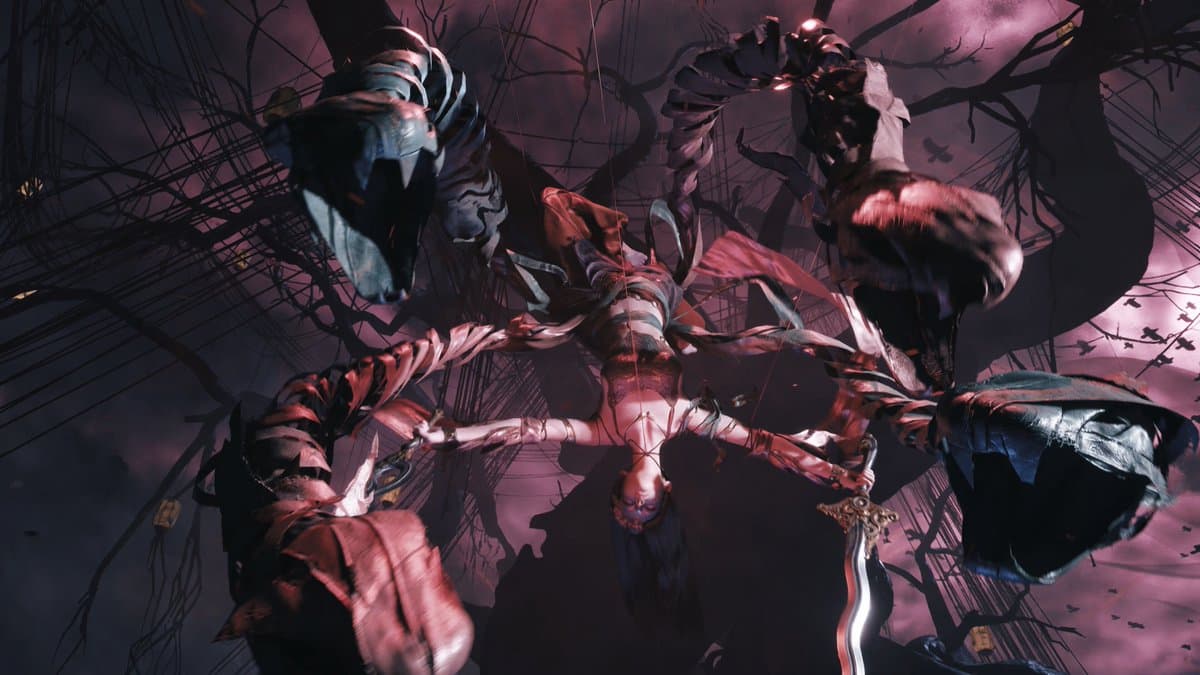
Playing Phantom Blade Zero this weekend? Be sure to check out our tips and tricks guide for can’t-miss info about the game’s combat, exploration, regions, and more. https://t.co/gvci0OQmuM

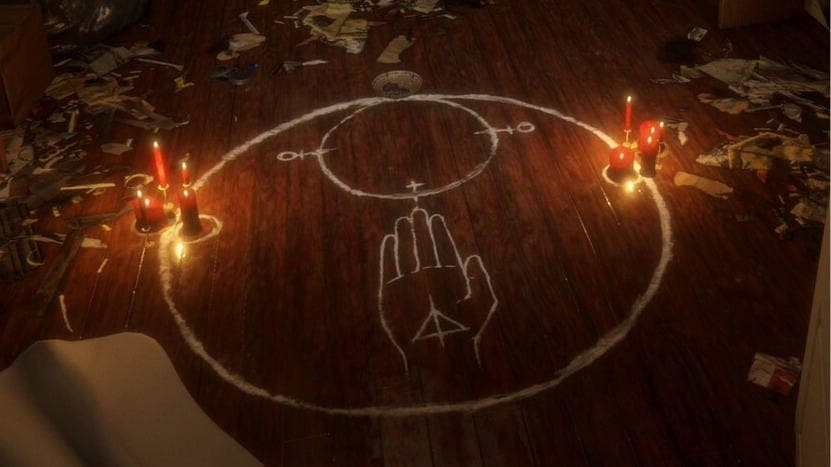
The canceled Paranormal Activity video game is getting a new lease on life as Playable Archive, which launched this week for free on Steam. https://t.co/6OnvBvyA54

#Croctober was quite a month! 🐊
Our recap of 31 days of fun and surprises: we launched Croc 2 Kingdom of the Gobbos, announced both Croc games for Switch 2, teamed up with new physical publishers in North America and Europe, and revealed Croc for N64.
Next up: Croc’s 30th
Our recap of 31 days of fun and surprises: we launched Croc 2 Kingdom of the Gobbos, announced both Croc games for Switch 2, teamed up with new physical publishers in North America and Europe, and revealed Croc for N64.
Next up: Croc’s 30th


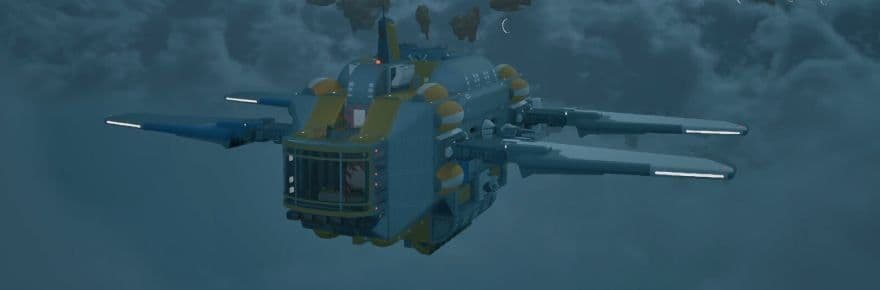
Atmosfar is a new airship-centered multiplayer survival sandbox that entered early access this week
🔗 https://t.co/l0B9UJEFsJ
#Atmosfar @ATMOSFAR_game
🔗 https://t.co/l0B9UJEFsJ
#Atmosfar @ATMOSFAR_game

MAJOR fixes for Scramble Knights Online are now live!
Our first big patch addresses every networking and performance issue we could tackle. If you had issues at launch, try the game out again. We likely fixed your problem!
Full notes below 👇
Our first big patch addresses every networking and performance issue we could tackle. If you had issues at launch, try the game out again. We likely fixed your problem!
Full notes below 👇
Small patch #5
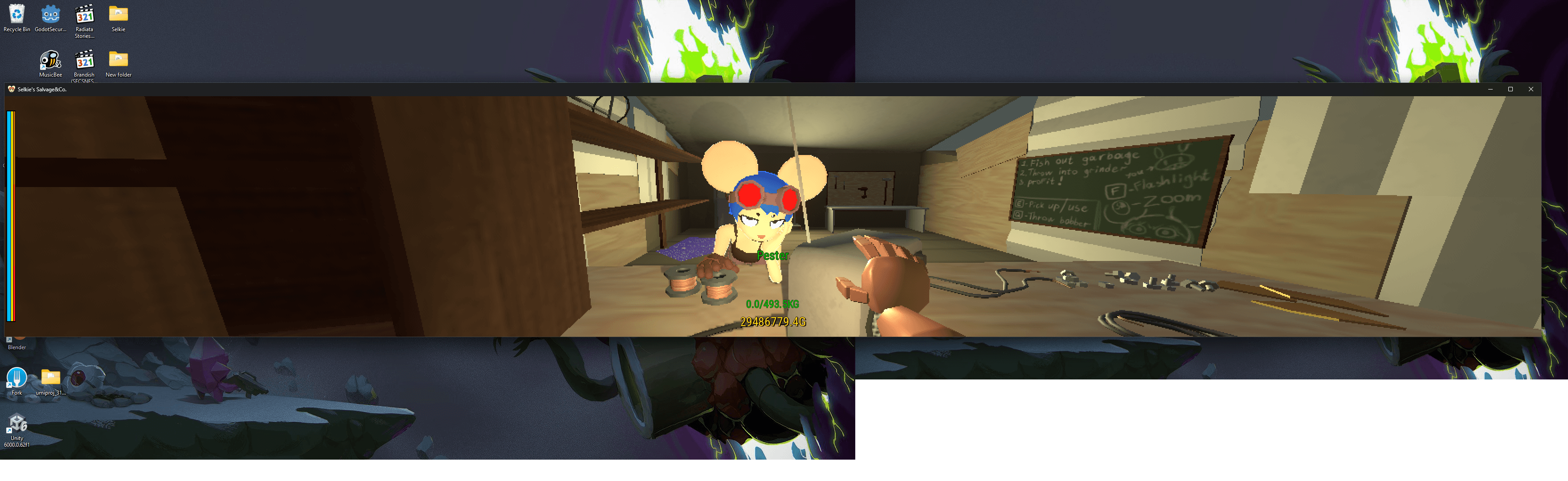
Added arbitrary aspect ratio support, you can even play on 2 mismatched aspect ratio monitors if that floats your boat.
Added FOV slider
Corrected minor issues with unlocked framerate and "death" timings
Added FOV slider
Corrected minor issues with unlocked framerate and "death" timings
Update Notes (2026/11/01)
This update adds a “Tutorial” where you can practice playing as a streamer and as a traitor on your own. We've also reworked rules such as the “Forced gaze” trap, the manifestation gauge, and the penalty for going without photos.
Patch highlights
• The Tutorial is here! Practice solo at your own pace!
• Forced gaze now lets you walk, locking only your gaze
• The manifestation gauge now also fills from prop photos and interference!
What's new
• Added “Tutorial” to the left column of the title screen. You can practice playing as a streamer and as a traitor on your own by actually playing. Each role has 3 chapters, and you can start from any chapter you like. During
practice, computer-controlled streamers and manifested forms play the other parts.
Streamer: Chapter 1 “First Exploration” (Moving, taking photos, SAN and recovery, hiding in lockers), Chapter 2 “When Danger Strikes” (Traps, illusory walls, photographing the manifested form, going down and helping each other up),
Chapter 3 “Teammates and the Traitor Hunt” (Staying near teammates, checking info, the pool key, voting, spectating, results)
Traitor: Chapter 1 “Preparation” (Flying, placing props, cursed objects and traps, haunted houses, then finishing within a full-length preparation), Chapter 2 “Exploration” (Watching traps work, blending in, possessing and taking
over, whispering, interference, manifesting), Chapter 3 “Votes and Score” (How voting works and the results after the match)
• After the update, the first time you reach the title screen you'll be asked “Would you like to play the tutorial?” once (players who have been playing so far are asked once too). Press “Play” to choose which role to practice and
start from that role's Chapter 1. Even if you press “Later,” you can start any time from “Tutorial” on the title screen.
• On the “Play” screen, you can now press the face picture in your profile at the top to choose a character as your profile icon (look for the pencil mark at the top right of the picture). The character you choose is also the one
selected first when you enter a room. If someone else has already chosen that character, one of the free characters is picked as before. Changing your character in the waiting area doesn't change your icon. If you haven't chosen an
icon, nothing changes.
Changes
• Changed the “Forced gaze” trap so it no longer stops you in place. Players caught in it can keep walking; only their gaze stays locked onto the point the traitor chose when placing it. We also removed the effect that darkened the
edges of the screen (previously, you couldn't walk while caught, and the edges of the screen went dark). How long it lasts and how much SAN it takes are unchanged.
• The traitor's manifestation gauge now also fills when a prop is photographed and when you use interference (except “Photo jam”), not just from traps (previously it filled only when a trap lowered SAN).
Props are items placed from the “Props” tab of the Placeable menu (including illusory walls), and the gauge fills each time a streamer photographs one you placed. Interference fills the gauge each time you use it, no matter how many
people it hits. As with traps, the gauge fills only during exploration and not while you are manifested.
• The penalty for going without photos now gets heavier in 3 stages the longer you go without taking a photo. Stages don't stack: when your time without photos ends (by taking a photo, dying, escaping or the match ending), the
multiplier for the stage you reached is applied once to your post-match subscribe rate. When you reach the heaviest stage, its multiplier is applied and the count starts over. It applies up to 3 times per match (previously, the same
penalty applied each time you went a set time without photos, up to 3 times).
Time without photos is counted from your last photo (or from the start of exploration at first), including while you are downed. On the results screen, the line is now called “No-photo gaps: N” (N is the number of times it applied).
The “No Photo for Ns” banner at the top of the screen now appears only when you reach a stage that applies a multiplier.
• Increased the distance at which traitors can place traps and other placeables from 8 m to 15 m. The distance for pasting drawings on walls (including in the waiting area) and for selecting and removing placed items is now 15 m as
well.
• When you photograph an illusory wall, the photo circle now fills and the hold sound plays while you hold the button, just like other photo targets. The circle and sound appear only on the photographer's screen. The outline glow and
the photographable marker still don't appear.
• In the traitor's “Scare log,” lines for traps and cursed objects that worked now show the name of the streamer who was caught (previously they showed “Everyone”). The same goes for the Scare log under “Dashboard” in “Open
information.”
• While manifested, aiming at the locker where your own body is hiding now shows “Your own body is inside” (previously nothing appeared). As before, the manifested form can't open this locker.
• Third-person view now works as follows on your own screen (other players' screens are unchanged). When viewing from behind, your own body is slightly see-through so you can see past it. When viewing from the front, movement and
camera controls are reversed in every direction (up, down, left and right).
• In key bindings, you can now assign “Sprint” to F (the hide-in-locker key) and “Crouch / Descend (out of body)” to Left Shift (previously you were told “Already assigned to F. Choose another control.”, or trying Shift left the old
key in place).
If Sprint is on F, pressing it while the hide-in-locker prompt is shown makes you hide. If Crouch / Descend is on Left Shift, you also crouch (or descend when out of body) while fine-tuning an item's rotation or a drawing's size. If
Sprint is still on Left Shift, the two are swapped.
The “Key Bindings (Traitor)” tab now also shows the waiting-for-input message, the action a key was swapped with, and why a key can't be assigned (previously these appeared only on the “Key Bindings (Common)” tab).
• Made the death screens easier to read. We removed the red shadow around the edges of the screen when “Fear consumed you” appears, and the blue tint over the screen while spectating afterwards. While spectating, “[name]'s view” now
shrinks its text to show the whole name when it's too long to fit, instead of cutting it off with “…”.
• On the “Map” in “Open information,” the starting room is now called “Entrance” instead of “Starting Point.”
• The downed state is now consistently called “downed” throughout the game (other terms such as “knockdown” used to be mixed in). The traitor's “Kill” is unchanged.
• Reworked the tips shown on the loading screen. “Locked rooms” has been corrected to “The pool key” to match the current rules, and the text of “Hiding in lockers” and “Map and objective” has been revised. We added 3 new tips:
“Escape,” “Time without photos” and “Photographing the manifested form” (9 in total).
• The Tips on page 2 (Traitors) of the “Game Rules” window now mention that the manifestation gauge also fills when you use interference and when a prop is photographed. Players who have seen this window before will see it again with
an “UPDATE!” tag the next time they enter a room.
Bug fixes
• Fixed an issue where things mounted on walls, such as classroom light switches, blackboards, picture frames and PA speakers, floated slightly off the wall, and the toilet paper holder in the girls' restroom was sunk into the wall.
• Fixed an issue where a locker sometimes couldn't be opened when small objects were on the floor in front of its door.
You can't play together with versions from before this update. If you can't get into the same room as your friends, make sure everyone has updated the game to the latest version on Steam.
Patch notes on the official website
Patch highlights
• The Tutorial is here! Practice solo at your own pace!
• Forced gaze now lets you walk, locking only your gaze
• The manifestation gauge now also fills from prop photos and interference!
What's new
• Added “Tutorial” to the left column of the title screen. You can practice playing as a streamer and as a traitor on your own by actually playing. Each role has 3 chapters, and you can start from any chapter you like. During
practice, computer-controlled streamers and manifested forms play the other parts.
Streamer: Chapter 1 “First Exploration” (Moving, taking photos, SAN and recovery, hiding in lockers), Chapter 2 “When Danger Strikes” (Traps, illusory walls, photographing the manifested form, going down and helping each other up),
Chapter 3 “Teammates and the Traitor Hunt” (Staying near teammates, checking info, the pool key, voting, spectating, results)
Traitor: Chapter 1 “Preparation” (Flying, placing props, cursed objects and traps, haunted houses, then finishing within a full-length preparation), Chapter 2 “Exploration” (Watching traps work, blending in, possessing and taking
over, whispering, interference, manifesting), Chapter 3 “Votes and Score” (How voting works and the results after the match)
• After the update, the first time you reach the title screen you'll be asked “Would you like to play the tutorial?” once (players who have been playing so far are asked once too). Press “Play” to choose which role to practice and
start from that role's Chapter 1. Even if you press “Later,” you can start any time from “Tutorial” on the title screen.
• On the “Play” screen, you can now press the face picture in your profile at the top to choose a character as your profile icon (look for the pencil mark at the top right of the picture). The character you choose is also the one
selected first when you enter a room. If someone else has already chosen that character, one of the free characters is picked as before. Changing your character in the waiting area doesn't change your icon. If you haven't chosen an
icon, nothing changes.
Changes
• Changed the “Forced gaze” trap so it no longer stops you in place. Players caught in it can keep walking; only their gaze stays locked onto the point the traitor chose when placing it. We also removed the effect that darkened the
edges of the screen (previously, you couldn't walk while caught, and the edges of the screen went dark). How long it lasts and how much SAN it takes are unchanged.
• The traitor's manifestation gauge now also fills when a prop is photographed and when you use interference (except “Photo jam”), not just from traps (previously it filled only when a trap lowered SAN).
Props are items placed from the “Props” tab of the Placeable menu (including illusory walls), and the gauge fills each time a streamer photographs one you placed. Interference fills the gauge each time you use it, no matter how many
people it hits. As with traps, the gauge fills only during exploration and not while you are manifested.
• The penalty for going without photos now gets heavier in 3 stages the longer you go without taking a photo. Stages don't stack: when your time without photos ends (by taking a photo, dying, escaping or the match ending), the
multiplier for the stage you reached is applied once to your post-match subscribe rate. When you reach the heaviest stage, its multiplier is applied and the count starts over. It applies up to 3 times per match (previously, the same
penalty applied each time you went a set time without photos, up to 3 times).
Time without photos is counted from your last photo (or from the start of exploration at first), including while you are downed. On the results screen, the line is now called “No-photo gaps: N” (N is the number of times it applied).
The “No Photo for Ns” banner at the top of the screen now appears only when you reach a stage that applies a multiplier.
• Increased the distance at which traitors can place traps and other placeables from 8 m to 15 m. The distance for pasting drawings on walls (including in the waiting area) and for selecting and removing placed items is now 15 m as
well.
• When you photograph an illusory wall, the photo circle now fills and the hold sound plays while you hold the button, just like other photo targets. The circle and sound appear only on the photographer's screen. The outline glow and
the photographable marker still don't appear.
• In the traitor's “Scare log,” lines for traps and cursed objects that worked now show the name of the streamer who was caught (previously they showed “Everyone”). The same goes for the Scare log under “Dashboard” in “Open
information.”
• While manifested, aiming at the locker where your own body is hiding now shows “Your own body is inside” (previously nothing appeared). As before, the manifested form can't open this locker.
• Third-person view now works as follows on your own screen (other players' screens are unchanged). When viewing from behind, your own body is slightly see-through so you can see past it. When viewing from the front, movement and
camera controls are reversed in every direction (up, down, left and right).
• In key bindings, you can now assign “Sprint” to F (the hide-in-locker key) and “Crouch / Descend (out of body)” to Left Shift (previously you were told “Already assigned to F. Choose another control.”, or trying Shift left the old
key in place).
If Sprint is on F, pressing it while the hide-in-locker prompt is shown makes you hide. If Crouch / Descend is on Left Shift, you also crouch (or descend when out of body) while fine-tuning an item's rotation or a drawing's size. If
Sprint is still on Left Shift, the two are swapped.
The “Key Bindings (Traitor)” tab now also shows the waiting-for-input message, the action a key was swapped with, and why a key can't be assigned (previously these appeared only on the “Key Bindings (Common)” tab).
• Made the death screens easier to read. We removed the red shadow around the edges of the screen when “Fear consumed you” appears, and the blue tint over the screen while spectating afterwards. While spectating, “[name]'s view” now
shrinks its text to show the whole name when it's too long to fit, instead of cutting it off with “…”.
• On the “Map” in “Open information,” the starting room is now called “Entrance” instead of “Starting Point.”
• The downed state is now consistently called “downed” throughout the game (other terms such as “knockdown” used to be mixed in). The traitor's “Kill” is unchanged.
• Reworked the tips shown on the loading screen. “Locked rooms” has been corrected to “The pool key” to match the current rules, and the text of “Hiding in lockers” and “Map and objective” has been revised. We added 3 new tips:
“Escape,” “Time without photos” and “Photographing the manifested form” (9 in total).
• The Tips on page 2 (Traitors) of the “Game Rules” window now mention that the manifestation gauge also fills when you use interference and when a prop is photographed. Players who have seen this window before will see it again with
an “UPDATE!” tag the next time they enter a room.
Bug fixes
• Fixed an issue where things mounted on walls, such as classroom light switches, blackboards, picture frames and PA speakers, floated slightly off the wall, and the toilet paper holder in the girls' restroom was sunk into the wall.
• Fixed an issue where a locker sometimes couldn't be opened when small objects were on the floor in front of its door.
You can't play together with versions from before this update. If you can't get into the same room as your friends, make sure everyone has updated the game to the latest version on Steam.
Patch notes on the official website